Guide · tested 2 November 2026
Competitor ad analysis: a six-step workflow for agencies
Competitor ad analysis in six steps: page, live count, 12 cards, ad age, launch pace, one takeaway. Magic Spoon, 2 November 2026: 53 live ads, 90 launched in 30 days, oldest ads selling a bundle at up to 26% off.
| Step | Where | What you write down |
|---|---|---|
| 1. Find the right page | Meta Ad Library, ad database | Page name and page ID; lookalike pages to ignore |
| 2. Count what is live | Meta Ad Library and an ad database | Live ads today, on both counts, with the source |
| 3. Read 12 cards | Meta Ad Library | Start dates, formats, hooks, offers |
| 4. Measure ad age | Ad database or the card start dates | Share of live ads running 14 days or more |
| 5. Measure launch pace | Ad database or a hand count | Ads launched in 30 days and how many are still live |
| 6. Log one takeaway | Shared sheet | Date, source, number, one decision |
Step 1: find the right advertiser page
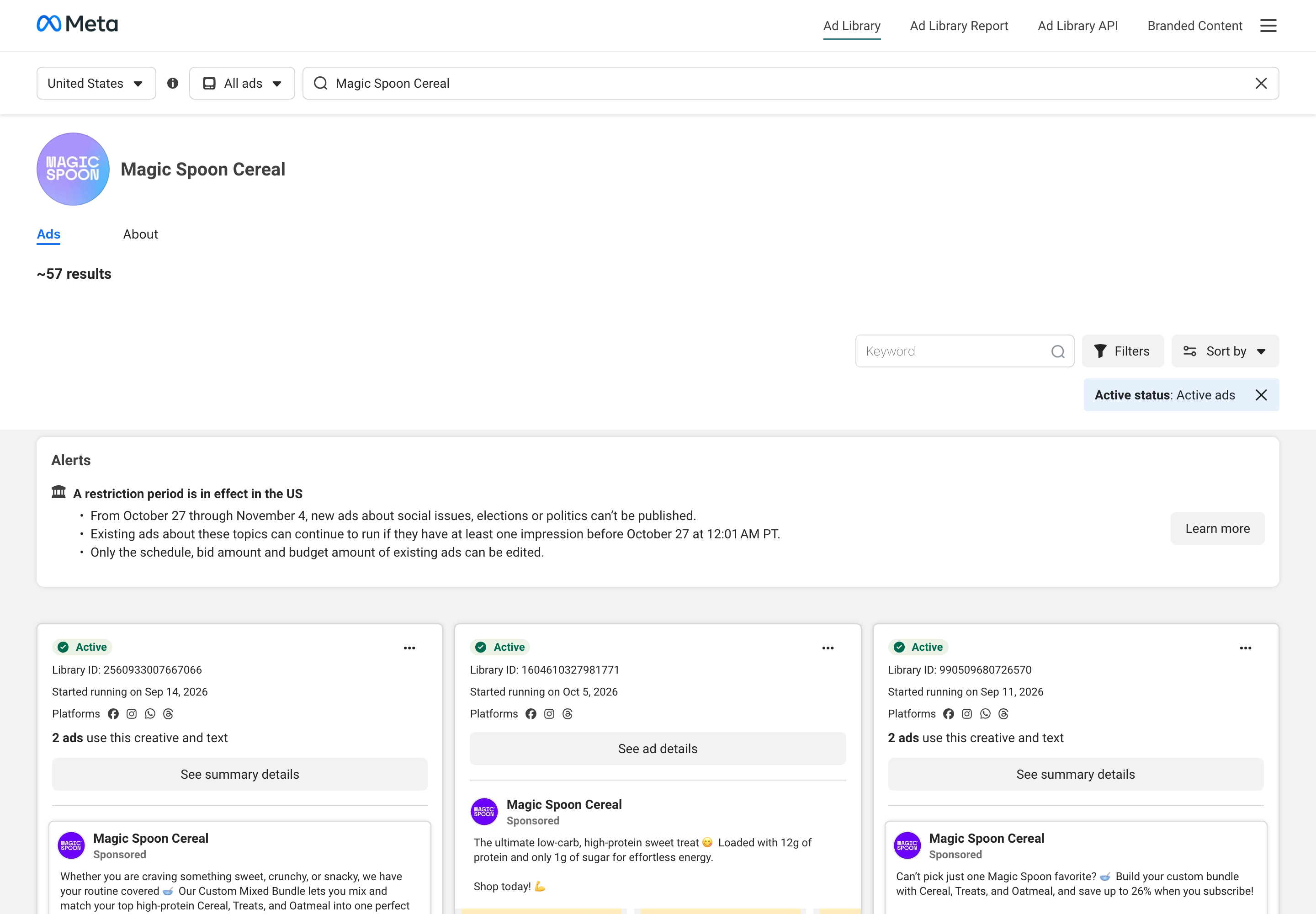
Competitor ad research starts with the page, not the brand name. Search the brand in the Meta Ad Library and in an ad database, and pick the page that carries the volume. For Magic Spoon, the database listed five similar pages on 2 November 2026; the one with by far the most ads, Magic Spoon Cereal (page ID 1978160732305312), is the one to analyse. Write down the page ID, because names repeat and IDs do not.
Step 2: count what is live, on two counts
In the Meta Ad Library, set the country (United States here) and the status to Active, and open the page. On 2 November 2026 it showed about 57 results for Magic Spoon Cereal. The ad database counted 53 active ads for the same page on the same day. The library's figure is marked approximate and the two sources count differently, so record both and name the source next to each number.
Step 3: read 12 cards for hooks, offers and start dates
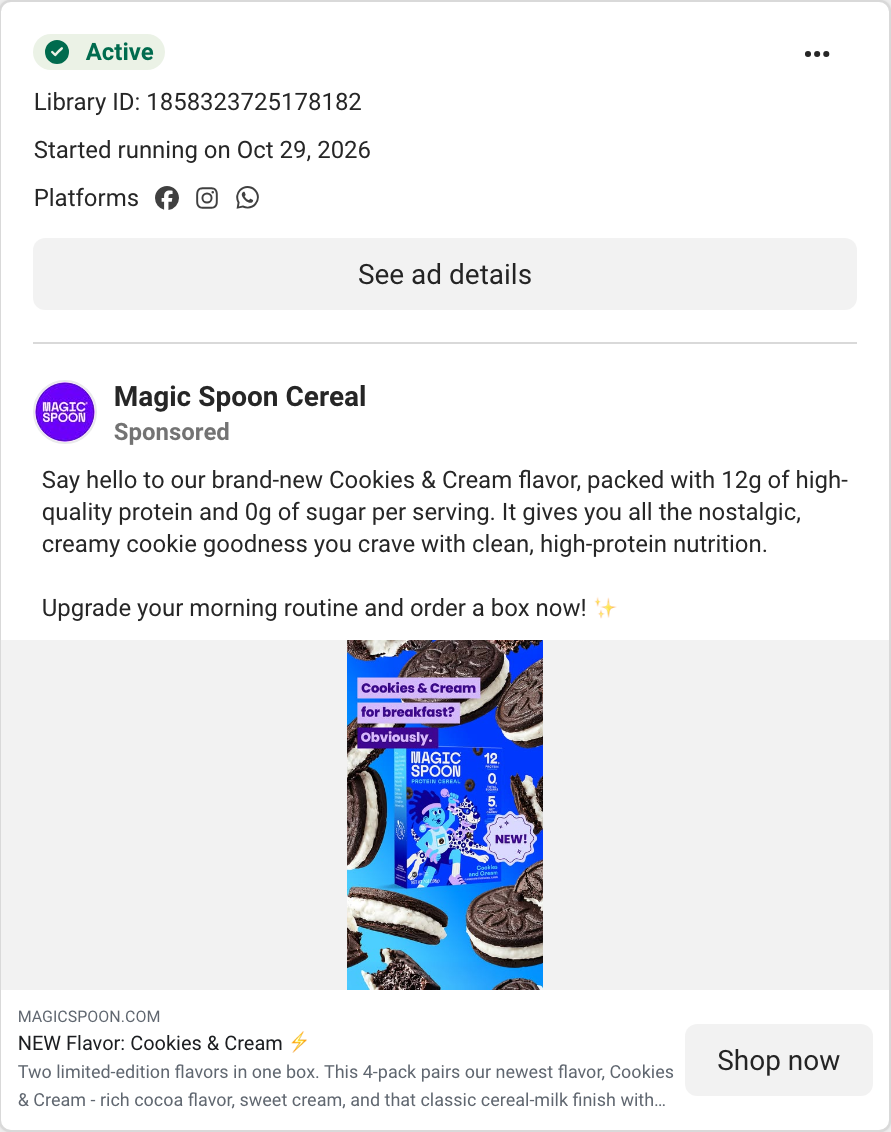
Open the first 12 cards Meta returns and note, for each, the start date, the format and the first line of text. This is Meta ad research by eye, and it is quick. Magic Spoon's 12: 9 started in October and 3 in September; 3 push a custom bundle; 2 announce a new flavor, both started 29 October; and every call-to-action the library showed was Shop now (10 of 12 cards showed one; the other two are grouped cards).
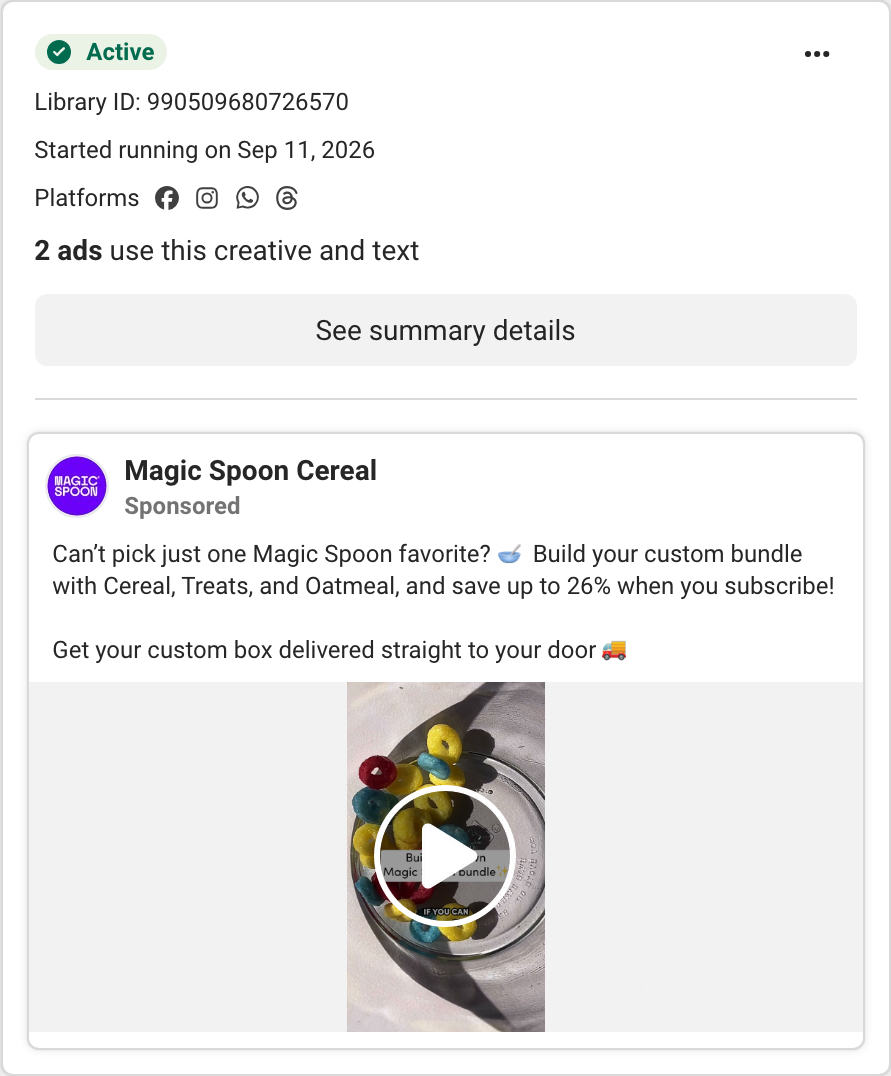
The card below is one of the bundle ads. It started on 11 September, it offers up to 26% off a custom bundle when you subscribe, and the library says 2 ads use this creative and text, a reuse signal you can read without any tool.
Step 4: measure how long the live ads have run
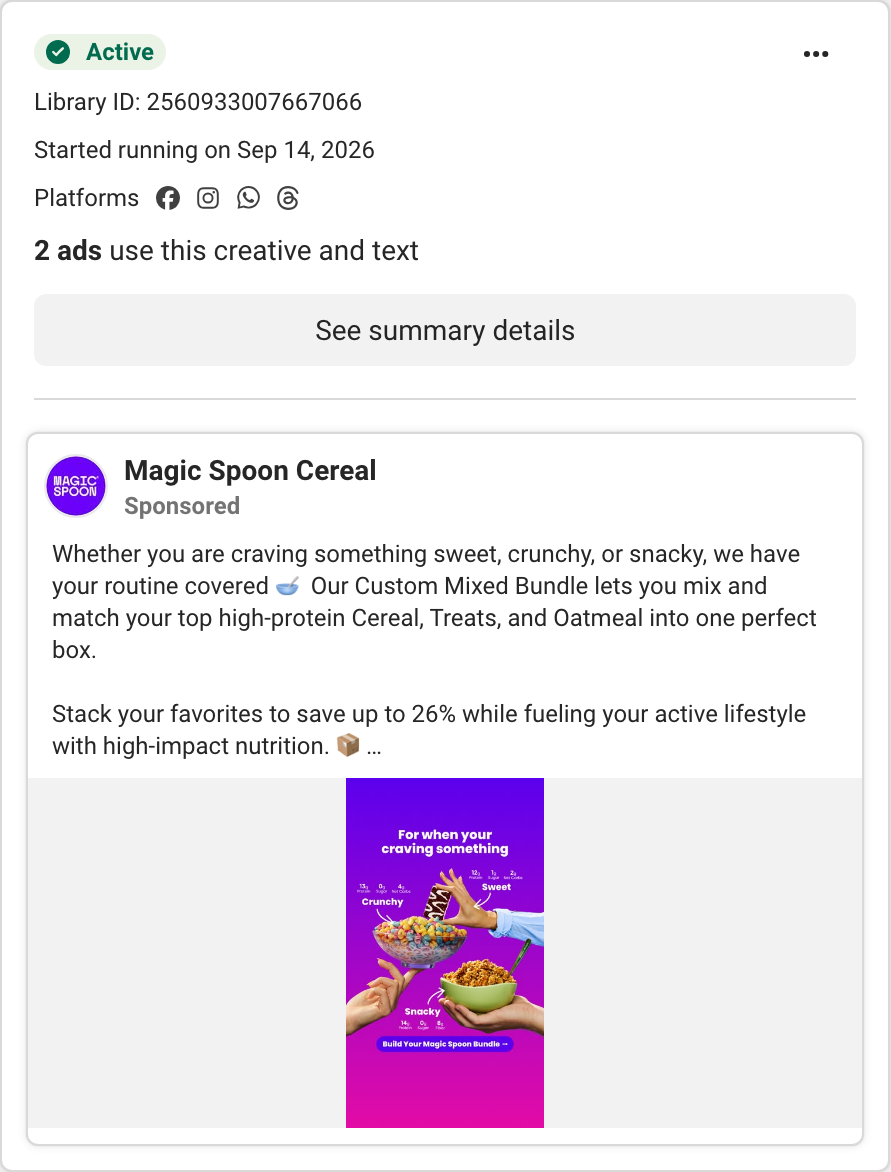
Days running is today minus the start date, and it is the nearest public proxy for an ad that works. The ad database returns it per live ad. Of Magic Spoon's 53 live ads, 27 (50.9%) had run 14 days or more and 6 (11.3%) had run 40 days or more; the oldest ran 52 days, from 11 September, the same start date as the card above (11 September to 2 November is 52 days). The second-oldest ran 49 days, from 14 September.
The free way is to do the sum by hand: every live card in the Meta Ad Library shows “Started running on”, so list the dates in a sheet and subtract. The limit is that the library shows live ads only, so you cannot see how long a stopped ad ran or which creative was cut.
Treat age as a shortlist, not a verdict. A long-running ad may simply be forgotten, so open the oldest few and ask what they share: the two oldest both sell a custom bundle with up to 26% off, as the cards show.
Step 5: measure how fast the competitor launches ads
Competitor ad tracking is mostly pace. Count ads launched in a fixed window and how many are still live. Magic Spoon launched 90 ads (versions, not unique creatives) between 3 October and 1 November 2026, and 41 of them (45.6%) were still active on 2 November; those 41 make up 77.4% of its 53 live ads. So most of what the page runs today is under a month old. The advertiser card gives the scale: 874 ads in the page's history on 2 November 2026, all in the United States. “Ads” here means ad versions, not unique creatives: one creative can run as several ads, as the “2 ads use this creative and text” label shows. Without a database you can approximate pace by counting, among the live cards, how many show a start date in the last 30 days.
The newest cards confirm the pace. This one launched on 29 October with a new flavor.
Step 6: log one takeaway your team can reuse
End with a row in a shared sheet: date, competitor, source, one number and one decision. Ours: “2 November 2026, Magic Spoon Cereal, Meta Ad Library plus ad database, 77% of live ads launched in the last 30 days, the two oldest ads both sell a custom bundle with up to 26% off, and the 11 September card ties the discount to subscribing: test a subscribe-and-save discount against a one-time purchase.” Keep one row per competitor per check, so the sheet shows change over time and any colleague can repeat the check on the same page ID.
On cost: steps 1 to 3 need nothing but the free Meta Ad Library. Steps 4 and 5 are faster in any ad database with live data; the database figures above are from Spytrend, and its free tier covers only ads older than 90 days.
FAQ
What is competitor ad analysis?
It is a repeatable check of what a competitor is advertising now: how many ads are live, what they say, how long they have run and how quickly new ones launch. The workflow above produces one logged number and one decision per competitor. It shows only what the competitor shows publicly, never their spend or results.
How do I do Facebook ad research on a competitor for free?
Open the Meta Ad Library, choose the country, set status to Active and search the page. It is free and needs no account. It shows start dates, formats and text, and flags ads that reuse a creative. It does not show spend or results, so keep the log yourself and repeat the check every week or two.
What are the best ad research tools for agencies?
Start with what you need to see. The Meta Ad Library is free and shows live ads with start dates. An ad database adds live ad age and launch counts across a page's history; check whether the plan includes ads newer than 90 days (some free tiers do not) and how many seats it includes, since agencies share one account. Compare the tools on one competitor you know.
Can I automate competitor advertising monitoring?
Some paid tools sell competitor ad tracking and automatic alerts; we did not test them here. The manual version in this workflow, repeated weekly with the same page ID and the same counts, gives you a baseline to judge any tool against.
How often should I run a competitor ad analysis?
Weekly for a competitor that launches fast, monthly for one that does not. Magic Spoon launched 90 ads in 30 days, so a week is already about 21 new ads at that pace (90 divided by 30, times 7). Repeat steps 2, 4 and 5 and compare with last time's sheet row.